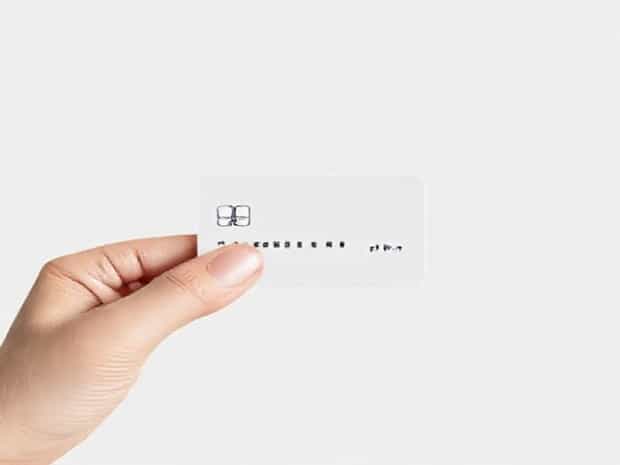
Manual Credit Card Imprinter How To Use
In today’s fast-paced digital world, many people rely on electronic card readers and online payment systems to process credit card transactions. However, there are times when technology may fail, or a business may not have access to electricity or internet. In these situations, a manual credit card imprinter becomes an essential tool. This device allows merchants to process credit card payments without relying on electronic systems, providing a simple yet reliable method to record transactions and ensure smooth business operations even in offline environments.
What is a Manual Credit Card Imprinter?
A manual credit card imprinter, sometimes referred to as a knuckle-buster, is a mechanical device designed to make an imprint of a credit card onto a sales slip. Unlike modern electronic point-of-sale systems, it does not require electricity, Wi-Fi, or any complex software. By using pressure to transfer the card details onto carbon copy slips, it captures all essential information including the card number, cardholder name, and expiration date. Despite its simplicity, it is still recognized and accepted by credit card companies as a valid method of processing payments.
Parts of a Manual Credit Card Imprinter
Understanding the different parts of a manual credit card imprinter is crucial to using it correctly. Most manual imprinters consist of the following components
- Card TrayThe section where the credit card is placed for imprinting.
- Slip HolderThe platform where the multi-part sales slip (original plus carbon copies) is positioned.
- Imprinting ArmA lever that is moved back and forth to press the card against the sales slip.
- Rails or GuidesEnsure the card and sales slip remain aligned during the imprinting process.
How to Use a Manual Credit Card Imprinter
Using a manual credit card imprinter involves a few straightforward steps, but it is important to follow them carefully to ensure the accuracy of the transaction. Here is a step-by-step guide
Step 1 Prepare the Sales Slip
Begin by placing a multi-part sales slip onto the imprinter. Most slips have several carbon copies for the merchant, customer, and bank records. Make sure the slip is properly aligned in the slip holder, with the top copy facing up and positioned directly under the area where the card will be imprinted.
Step 2 Insert the Credit Card
Next, place the customer’s credit card into the designated card tray. Ensure that the magnetic stripe is facing the correct direction, usually down, and that the embossed details of the card, including the card number, name, and expiration date, are visible. Alignment is critical to ensure the imprint is clear and legible on all copies of the slip.
Step 3 Position the Imprinting Arm
Lower the imprinting arm onto the card and sales slip. The arm should cover the entire card area, ensuring that all embossed characters are pressed firmly onto the sales slip. Most manual imprinters have rails or guides to help maintain proper alignment and pressure.
Step 4 Slide the Imprinting Arm
Move the imprinting arm across the length of the credit card slowly but firmly. The pressure applied by the arm will transfer the raised characters of the card onto the sales slip using the carbon layers. Be sure to maintain steady pressure to avoid smudging or incomplete imprints. If done correctly, all copies of the sales slip should have a clear and readable imprint of the card details.
Step 5 Remove the Card and Slip
Once the imprinting process is complete, carefully remove the credit card and the multi-part sales slip. Check that all copies of the slip have legible imprints. Each copy is typically used as follows
- Merchant CopyRetained by the business for accounting and record-keeping.
- Customer CopyGiven to the customer as proof of the transaction.
- Bank CopySent to the bank or processing company for settlement of the payment.
Additional Tips for Effective Use
While the manual credit card imprinter is simple to use, following best practices ensures accuracy and reduces errors during transactions. Here are some helpful tips
- Always check that the credit card details are correctly aligned before imprinting.
- Ensure the carbon copies are clean and free of wrinkles or creases to avoid unclear imprints.
- Handle the arm gently but firmly to maintain consistent pressure across the card.
- Keep a supply of blank sales slips and carbon copies readily available to avoid interruptions.
- Verify the customer’s signature on the slip matches the signature on the back of the card for security purposes.
Advantages of Using a Manual Credit Card Imprinter
Despite the prevalence of digital payment systems, manual credit card imprinters still offer unique advantages
- ReliabilityFunctions without electricity or internet, making it ideal for remote locations or power outages.
- SimplicityEasy to use with minimal training, suitable for small businesses or temporary setups.
- SecurityThe embossed card details on the slip provide a physical record of the transaction.
- ComplianceRecognized by credit card companies as a legitimate method for recording transactions.
Limitations to Consider
While useful, manual credit card imprinters have some limitations
- Cannot process real-time authorization, so the merchant must verify the card’s validity separately.
- Prone to human error if alignment or pressure is incorrect.
- More time-consuming than electronic methods for high-volume transactions.
- Does not capture electronic data for immediate reporting or analytics.
Using a manual credit card imprinter may seem outdated in today’s digital age, but it remains an important tool for businesses that require offline payment processing. By understanding the device, its parts, and proper usage techniques, merchants can efficiently record credit card transactions without relying on electricity or internet access. With careful attention to detail and adherence to best practices, a manual credit card imprinter provides a reliable, secure, and legally recognized method of handling payments, ensuring that business operations can continue smoothly even when modern electronic systems are unavailable.