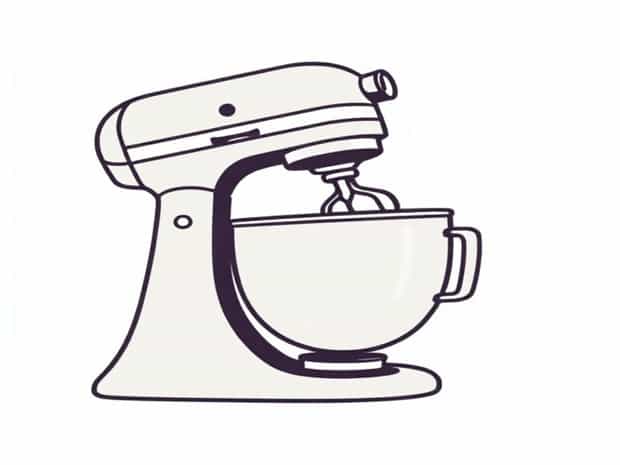
Kitchenaid Mixer Wobbly Head
KitchenAid mixers are widely praised for their durability, performance, and timeless design, making them a staple in many kitchens around the world. However, even the most reliable appliances can develop issues over time, and one common problem reported by users is a wobbly mixer head. A KitchenAid mixer with a wobbly head can be concerning, especially for home bakers who rely on consistent mixing performance. Understanding the causes of this issue, how to address it, and preventive measures can help extend the life of your mixer and ensure smooth operation during every baking session.
Understanding the Wobbly Head Issue
A wobbly head on a KitchenAid mixer typically refers to the mixing head not sitting firmly in place. This can cause uneven mixing, rattling noises, and in severe cases, difficulty in attaching or using attachments. The issue is not necessarily indicative of a broken mixer, but it does require attention to prevent further wear and ensure safe operation. Several factors can contribute to a mixer head wobble, and identifying the root cause is the first step toward resolving it.
Common Causes of a Wobbly Mixer Head
- Loose Hinge PinThe hinge pin connects the mixer head to the body. Over time, regular use can cause the pin to loosen, creating a slight movement in the head.
- Wear and Tear on Internal GearsKitchenAid mixers rely on a complex set of gears to operate the head and mixing functions. Worn gears may result in less stability and a wobbly sensation.
- Improper Head LockThe head lock mechanism is designed to hold the mixer head firmly in place during operation. If the lock is not fully engaged or has become damaged, the head can wobble.
- Attachment Hub IssuesSome mixers experience head movement when the attachment hub is over-tightened or misaligned.
- Heavy Use or OverloadingConsistently mixing dense doughs or large batches can stress the mixer components and cause the head to loosen over time.
Step-by-Step Troubleshooting
Before seeking professional repair, there are several steps you can take to troubleshoot a wobbly KitchenAid mixer head. Start with the simplest solutions and work toward more technical fixes.
Check the Head Lock
Ensure the mixer head is fully lowered and the lock lever is engaged. Some models have a small notch or indicator showing when the head is correctly positioned. If the head is not properly locked, the wobble may resolve immediately.
Inspect the Hinge Pin
Turn off and unplug the mixer, then examine the hinge pin connecting the head to the body. If it appears loose, tighten it according to the manufacturer’s instructions. On some models, this may require removing the mixer body cover, so refer to the user manual carefully to avoid damaging internal components.
Examine the Gears
Internal gear wear is a more advanced issue. Signs of gear damage include unusual noises, slipping attachments, or continued wobbling even after tightening external components. In many cases, replacing worn gears is best handled by a professional or an authorized service center to prevent further damage.
Check Attachments and Hub
Sometimes a wobbly head is triggered by improper attachment usage. Remove all attachments, clean the hub and connector, and then reattach components properly. Avoid overtightening, as excessive force can stress the head and lock mechanism.
Maintenance Tips to Prevent Head Wobble
Preventive maintenance can extend the life of your KitchenAid mixer and minimize the risk of a wobbly head. Regular care includes
- Cleaning the mixer thoroughly after each use to prevent flour or dough buildup that can interfere with the head lock or hinge pin.
- Occasionally inspecting screws, pins, and locks for tightness to catch small issues before they worsen.
- Using appropriate mixing speeds and avoiding overloading the mixer beyond recommended capacity, especially with heavy doughs.
- Lubricating moving parts if recommended by the manufacturer, particularly for older models that may experience gear stiffness.
- Scheduling professional servicing if the mixer is used frequently in high-volume baking, to maintain optimal performance.
When to Seek Professional Help
If the mixer head remains wobbly after performing basic troubleshooting steps, it may indicate internal damage or worn components that require professional repair. Signs that professional service is needed include
- Persistent wobble despite checking the head lock and hinge pin.
- Unusual grinding or clicking noises during operation.
- Difficulty attaching or removing mixing tools.
- Visible damage to gears, pins, or the head lock mechanism.
Authorized service centers have the tools and expertise to replace gears, pins, or other components safely. Attempting internal repairs without proper guidance may void warranties or cause further damage.
Choosing Replacement Parts
KitchenAid provides original replacement parts for most mixer models, ensuring proper fit and long-term reliability. Using non-standard or generic parts may lead to continued wobble or reduced performance. Always confirm the model number of your mixer when ordering parts, and consult the manual for installation instructions.
A wobbly head on a KitchenAid mixer is a common concern but is often manageable with proper care and attention. Understanding the causes, performing simple troubleshooting, and maintaining the mixer regularly can prevent small issues from becoming major repairs. For persistent problems, professional servicing ensures that your mixer continues to deliver consistent, high-quality results. By addressing a wobbly mixer head promptly, bakers can enjoy reliable mixing performance for years to come, keeping every dough, batter, and frosting smooth and evenly blended.