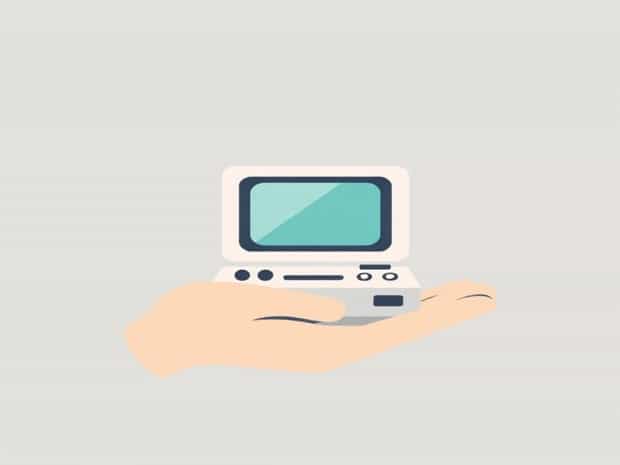
Is Palmtop A Microcomputer
In the evolution of computing devices, handheld technology has played a significant role in shaping the way we interact with digital information. Among these devices, the palmtop computer has emerged as a compact and portable solution for users seeking mobility without sacrificing essential computing functions. Many people wonder whether a palmtop qualifies as a microcomputer, given its small size and limited hardware compared to traditional desktop computers. To answer this question, it is important to examine the characteristics of palmtops, the definition of microcomputers, and how these devices fit into the broader context of computing technology. Understanding these aspects allows us to clarify the relationship between palmtops and microcomputers.
Understanding Palmtop Computers
A palmtop computer, often referred to as a handheld computer or pocket PC, is a small computing device designed for portability and convenience. These devices typically feature a compact keyboard or touchscreen interface, allowing users to perform tasks such as note-taking, scheduling, basic calculations, and simple data management. Palmtops emerged in the late 1980s and early 1990s as a bridge between personal digital assistants (PDAs) and full-fledged laptops, offering users the ability to carry a computer in their pocket or bag.
Main Features of Palmtop Computers
- Small, lightweight form factor that fits in a hand or pocket.
- Basic processing power sufficient for personal and business tasks.
- Integrated software for calendar management, word processing, and spreadsheets.
- Connectivity options such as serial ports or early wireless capabilities.
- Long battery life suitable for mobile use.
Defining Microcomputers
A microcomputer is a general term used to describe a computing device built around a microprocessor, capable of performing a variety of tasks and running software applications. Microcomputers are designed for individual use and typically include essential components such as a central processing unit (CPU), memory (RAM), storage, input devices, and display output. The term microcomputer originally distinguished these devices from larger mainframes and minicomputers, which were used in enterprise and scientific applications.
Key Characteristics of Microcomputers
- Central processing unit based on a microprocessor.
- Memory and storage for running applications and storing data.
- Input and output interfaces, such as keyboards, screens, or external ports.
- Ability to execute general-purpose software and applications.
- Designed for individual or small-scale use rather than large-scale computing tasks.
Comparing Palmtops and Microcomputers
To determine whether a palmtop qualifies as a microcomputer, it is necessary to compare its features and capabilities against the standard definition of a microcomputer. Despite their small size, palmtops typically contain a microprocessor, memory, storage, and basic input/output interfaces, which are all key components of a microcomputer. They are capable of running general-purpose applications such as word processors, spreadsheets, and scheduling tools, albeit with some limitations in processing power and multitasking capacity compared to desktops or laptops.
Processing Power
Palmtops contain microprocessors that can perform calculations, execute instructions, and manage tasks similar to larger microcomputers. Although the processing speed may be lower and the architecture simplified to conserve power, the core function of executing software programs aligns with the microcomputer definition.
Memory and Storage
Palmtops are equipped with RAM for temporary data handling and non-volatile storage such as flash memory to save files and applications. While the storage capacity is smaller than that of a typical desktop microcomputer, it is sufficient for the intended personal or business applications, supporting the classification as a microcomputer.
Input and Output Capabilities
- Palmtops include keypads or touchscreens for input, similar to traditional microcomputers.
- They provide display screens for output, often in color or monochrome depending on the model.
- Some models offer connectivity options such as USB, infrared, or early wireless connections for data transfer.
Applications of Palmtop Computers
Palmtops were widely used in the 1990s and early 2000s for various personal and professional applications. Their portability made them ideal for tasks where carrying a desktop or laptop was impractical. Users employed palmtops for organizing schedules, managing contacts, performing basic accounting, and even writing and editing documents on the go. In professional settings, palmtops served as portable assistants for fieldwork, business meetings, and mobile data entry.
Advantages of Palmtops as Microcomputers
- Portability allowed users to carry computing power anywhere.
- General-purpose functionality made them versatile for personal and business tasks.
- Integration with software applications enabled productivity in compact form factors.
- Low power consumption extended battery life, supporting mobile use.
Limitations Compared to Traditional Microcomputers
Despite their classification as microcomputers, palmtops have limitations that distinguish them from standard desktop or laptop microcomputers. These limitations include reduced processing speed, smaller memory and storage capacity, limited multitasking capabilities, and smaller input/output interfaces. These trade-offs were necessary to achieve portability and energy efficiency. Nevertheless, the core components and functionality align with the definition of a microcomputer.
Processing and Performance Constraints
- Lower clock speeds and simplified processors limit complex computing tasks.
- Multitasking may be restricted, preventing simultaneous execution of multiple demanding applications.
- Graphics and multimedia performance is typically limited compared to full-sized microcomputers.
Storage and Expandability
Palmtops generally offer limited internal storage, which may restrict the number of applications and files that can be stored. Some models allow expansion through memory cards or external storage devices, but options are often fewer than those available for desktop microcomputers.
Modern Equivalents and Evolution
While traditional palmtops have largely been replaced by smartphones, tablets, and ultra-portable laptops, the concept of a pocket-sized microcomputer persists. Modern devices combine the portability of palmtops with advanced processing power, extensive storage, and multifunctional capabilities. Smartphones, in particular, can be considered descendants of palmtops, offering microcomputer-level functionality in a compact, handheld form.
Smartphones as Successors
- Advanced processors capable of running complex applications and multitasking.
- Large memory and storage capacities compared to original palmtops.
- Connectivity features such as Wi-Fi, cellular networks, Bluetooth, and GPS.
- Touchscreen interfaces and high-resolution displays for enhanced user experience.
Palmtop computers, despite their small size and limited hardware compared to desktops or laptops, can indeed be classified as microcomputers. They contain essential microcomputer components such as a microprocessor, memory, storage, and input/output interfaces, and they are capable of running general-purpose software. While they have limitations in processing power and expandability, their core functionality aligns with the definition of a microcomputer. Palmtops played a significant role in the evolution of portable computing and paved the way for modern handheld devices like smartphones and tablets, which continue to embody the principles of microcomputers in increasingly powerful and versatile forms.