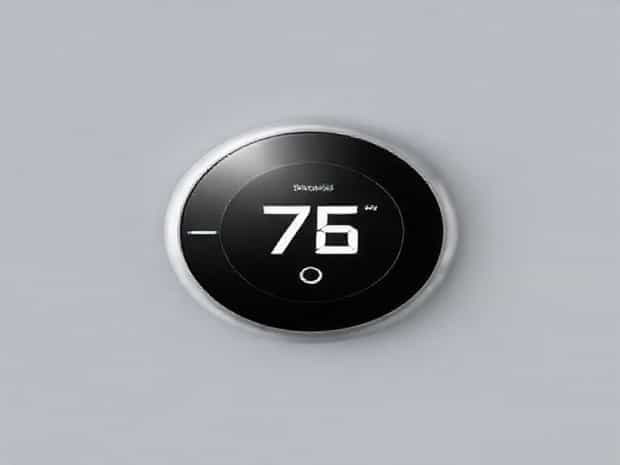
How To Reset White Rodgers Thermostat
Resetting a White Rodgers thermostat can be a straightforward solution to many common issues, such as unresponsive controls, incorrect temperature readings, or irregular heating and cooling cycles. Whether you have a digital or programmable model, knowing how to reset the thermostat properly can save time, prevent unnecessary service calls, and restore optimal performance. Resetting essentially returns the thermostat to its factory settings, clearing any errors or user changes that may be causing problems. Understanding the correct steps, safety precautions, and follow-up actions is essential for homeowners looking to troubleshoot their HVAC system effectively.
Understanding the White Rodgers Thermostat
White Rodgers thermostats are widely used in residential and commercial HVAC systems for their reliability and user-friendly features. They come in various models, including basic digital units, programmable models, and smart thermostats that can connect to Wi-Fi for remote control. Despite these differences, most White Rodgers thermostats share common functions such as temperature control, fan operation, and system mode selection. Familiarizing yourself with your specific model helps ensure the reset process is performed safely and correctly.
Why Reset a Thermostat?
Thermostats may require a reset for several reasons. Some common situations include
- The thermostat screen is blank or unresponsive.
- Temperature settings do not correspond with actual room temperature.
- The heating or cooling system cycles incorrectly or fails to turn on.
- Erratic behavior after a power outage or battery replacement.
- Restoring factory settings after testing or troubleshooting adjustments.
Preparation Before Resetting
Before performing a reset, taking a few precautionary steps ensures a smooth and safe process. Preparing your thermostat and surroundings can prevent damage and make the reset more effective.
Turn Off the HVAC System
Switch the heating and cooling system to the Off position. Turning off the system prevents electrical surges and protects both the thermostat and HVAC components during the reset.
Locate the Thermostat Model and Manual
Identifying the exact model helps determine the correct reset procedure. White Rodgers provides manuals for each model that outline factory reset instructions. Keep the manual handy, or download a copy from the White Rodgers website to ensure accurate steps.
Check Batteries
If your thermostat is battery-powered, remove and inspect the batteries. Weak or dead batteries can cause the thermostat to malfunction. Replacing batteries before or after a reset ensures reliable operation.
Steps to Reset a White Rodgers Thermostat
Resetting procedures vary slightly depending on the model. Here is a general guide for digital and programmable thermostats
Digital Models
- Locate the reset button on the thermostat. On some models, this may be a small recessed button that requires a paperclip or pin to press.
- Press and hold the reset button for 3-5 seconds until the display changes or flashes.
- Release the button and wait for the thermostat to reboot. The display should return to the default factory screen.
- Reprogram your desired temperature settings and system modes.
Programmable Models
- Access the thermostat menu using the Menu or Settings button.
- Navigate to the Reset or Factory Reset option. Confirm the selection when prompted.
- Some models may require holding down the Up and Down buttons simultaneously for 5-10 seconds to initiate a reset.
- After the reset, re-enter your scheduling preferences and system settings.
Smart Thermostats
For Wi-Fi-enabled or smart thermostats, a reset may also involve disconnecting the device from your network
- Go to the thermostat settings menu and select Reset or Factory Reset.
- Confirm the reset action and wait for the thermostat to reboot.
- Reconfigure Wi-Fi connections, user preferences, and schedules after the reset.
After the Reset
Once the thermostat has been reset, several follow-up steps ensure proper operation
Reinstall Batteries and Restore Power
If batteries were removed, reinstall them with the correct orientation. Restore power to the HVAC system and ensure the thermostat powers on and responds correctly.
Test HVAC Functionality
Switch the system to heating and cooling modes, adjusting the temperature to verify that the system responds appropriately. Listen for correct operation of the furnace, air conditioner, or heat pump.
Reprogram Settings
Set your desired temperature and schedule for programmable models. Reenter Wi-Fi credentials for smart thermostats and customize any remote control features.
Observe for Issues
Monitor the thermostat for a few days to ensure the reset resolved the original problem. If issues persist, further troubleshooting or professional service may be required.
Common Troubleshooting Tips
Resetting often resolves minor glitches, but additional steps may be necessary if problems continue
- Verify wiring connections behind the thermostat if the display remains blank.
- Ensure the circuit breaker controlling the HVAC system is on and functioning properly.
- Replace old or weak batteries, even if they seem sufficient, as low power can cause erratic behavior.
- Check for firmware updates if using a smart thermostat to ensure the latest software is installed.
When to Call a Professional
If resetting the White Rodgers thermostat does not restore normal operation, it may indicate a deeper electrical or HVAC system issue. Contacting a licensed HVAC technician can help identify problems such as faulty wiring, a malfunctioning control board, or mechanical issues in the heating or cooling system. Professional intervention ensures safe, reliable operation and prevents damage to the thermostat or HVAC components.
Resetting a White Rodgers thermostat is an effective way to resolve common issues like unresponsive controls, inaccurate temperature readings, or irregular system operation. By understanding your model, preparing the thermostat properly, following the correct reset steps, and reprogramming settings, homeowners can restore optimal performance quickly. Regular maintenance, including battery checks and proper usage, further ensures that the thermostat operates reliably. Whether using a digital, programmable, or smart White Rodgers thermostat, these steps provide a clear guide for troubleshooting and maintaining a comfortable, well-regulated home environment.