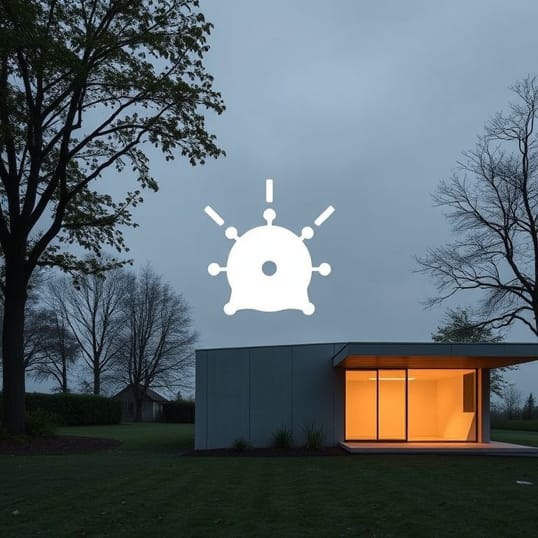
Extend Network To Outbuilding
Extending a network to an outbuilding can be a critical task for homeowners, businesses, or hobbyists who require reliable internet access in a detached garage, workshop, studio, or guest house. Many properties have multiple structures, but Wi-Fi signals from the main building often struggle to reach distant locations due to distance, walls, and interference. Ensuring a stable network connection in an outbuilding enables streaming, remote work, security systems, and smart devices to function efficiently. Achieving this requires careful planning, the right equipment, and an understanding of different networking techniques. By exploring various solutions, users can create a strong and reliable connection that meets their specific needs without excessive costs or complex installation challenges.
Assessing the Requirements
Before extending a network to an outbuilding, it is important to evaluate the specific requirements. Factors such as distance from the main building, type of activities in the outbuilding, and available infrastructure influence the choice of networking solution. For instance, a small garden shed used occasionally may require only basic Wi-Fi coverage, while a home office or workshop with multiple devices demands higher bandwidth and stability. Identifying the number of devices, types of applications, and expected data usage helps determine whether a wireless or wired solution is more appropriate. Environmental factors such as trees, walls, and other obstacles should also be considered, as they can affect signal strength and reliability.
Understanding the Distance and Obstacles
The distance between the main building and the outbuilding is a critical factor. Wi-Fi signals weaken over long distances and when passing through thick walls, metal structures, or dense vegetation. For distances up to 30 meters, standard Wi-Fi extenders or repeaters may be sufficient. However, for greater distances or areas with significant obstacles, solutions such as outdoor access points, point-to-point wireless bridges, or wired connections may be required. Measuring the distance and identifying potential signal-blocking materials helps in selecting the right equipment and planning the network layout.
Wired Network Solutions
Wired connections offer the most stable and high-speed network performance, making them ideal for outbuildings that require reliable access for work or media streaming. There are several methods to extend a wired network
1. Ethernet Cable
Running an Ethernet cable directly from the main building to the outbuilding provides a stable and fast connection. Using outdoor-rated Cat6 or Cat6a cables ensures durability and resistance to weather conditions. Conduits or underground burial of the cable may be necessary to protect it from physical damage. While installation can be labor-intensive, this solution delivers the highest reliability and supports high-bandwidth applications without latency issues.
2. Powerline Adapters
Powerline networking uses existing electrical wiring to transmit internet signals. By plugging a powerline adapter into an outlet in the main building and another in the outbuilding, users can create a network connection without running new cables. This solution is convenient and relatively easy to implement, although performance may vary depending on the quality and configuration of the electrical system. Powerline adapters are suitable for moderate bandwidth needs, such as web browsing and video streaming.
Wireless Network Solutions
Wireless solutions are often preferred when running cables is impractical or expensive. There are several wireless methods to extend a network to an outbuilding
1. Wi-Fi Extenders and Repeaters
Wi-Fi extenders or repeaters amplify the existing wireless signal from the main building to reach the outbuilding. These devices are easy to install and cost-effective. Placement is crucial; the extender should be located where it still receives a strong signal from the main network. While suitable for light usage, repeaters may reduce overall network speed and are less effective over long distances or through multiple obstacles.
2. Outdoor Access Points
Outdoor access points are designed to provide strong and reliable wireless coverage over longer distances. These devices can be mounted on the exterior of the main building and oriented towards the outbuilding to create a focused coverage area. Many outdoor access points support higher data rates, multiple devices, and weatherproof construction. They are ideal for situations where performance and stability are important, such as home offices, workshops, or streaming setups.
3. Point-to-Point Wireless Bridges
Point-to-point wireless bridges use two directional antennas to create a dedicated link between the main building and the outbuilding. This solution can span hundreds of meters and maintain high-speed connectivity. Each end of the bridge requires a compatible access point or bridge device. Point-to-point bridges are often used in professional installations, large properties, or rural areas where other methods may be less effective. Proper alignment of antennas and line-of-sight conditions are critical for optimal performance.
Considerations for Security and Maintenance
Extending a network to an outbuilding introduces additional security and maintenance considerations. Wireless networks should be secured using strong encryption protocols such as WPA3 to prevent unauthorized access. Changing default passwords, enabling firewalls, and regularly updating firmware are essential practices. Wired connections should be inspected periodically for damage, especially if exposed to outdoor conditions. Network monitoring tools can help detect performance issues, allowing for proactive troubleshooting and maintenance.
Environmental Factors
Weather conditions, temperature fluctuations, and physical obstructions can affect network performance. Outdoor-rated devices should be used to withstand rain, sun, and extreme temperatures. Proper placement of equipment to avoid interference from trees, metal fences, or neighboring networks ensures reliable connectivity. Considering environmental factors during planning minimizes downtime and reduces the need for frequent adjustments or replacements.
Advantages of Extending a Network to an Outbuilding
Extending a network provides several practical benefits, whether for residential or professional use
- Enables internet access for work, learning, and entertainment in outbuildings
- Supports smart home devices, security cameras, and automation systems
- Facilitates video conferencing, remote work, and streaming services
- Enhances property usability by connecting multiple structures
- Allows flexibility in choosing between wired or wireless solutions based on needs and budget
Extending a network to an outbuilding requires careful assessment of distance, obstacles, and bandwidth needs. Options range from wired Ethernet connections and powerline adapters to Wi-Fi extenders, outdoor access points, and point-to-point wireless bridges. Each method has its advantages and limitations, and the choice depends on factors such as reliability, speed, installation complexity, and budget. Proper planning, secure setup, and consideration of environmental factors ensure that the network functions efficiently and reliably. By selecting the right approach, homeowners and businesses can enjoy seamless connectivity in outbuildings, enhancing productivity, convenience, and overall connectivity across their property.