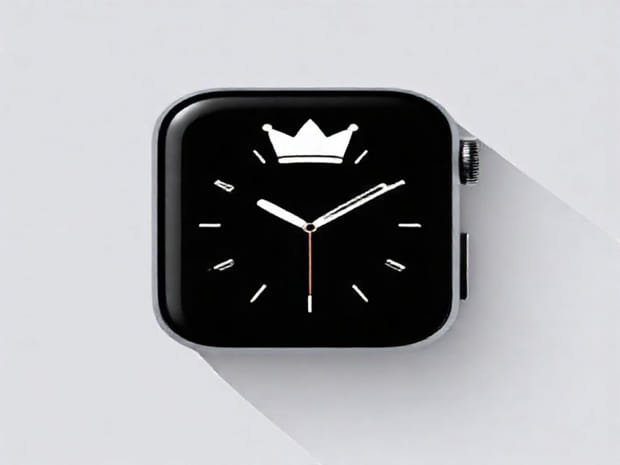
Digital Crown Apple Watch
The Apple Watch has transformed the way people interact with technology on their wrists, offering a combination of health tracking, notifications, and connectivity features in a sleek wearable device. One of its standout features is the Digital Crown, a small yet powerful component that provides users with an intuitive and precise way to navigate the Apple Watch interface. The Digital Crown is more than just a design element; it is a central part of the watch’s user experience, combining tactile feedback, accessibility, and multifunctionality. Understanding the capabilities and benefits of the Digital Crown helps users maximize their Apple Watch usage and appreciate the innovation behind its design.
What is the Digital Crown?
The Digital Crown is a small, circular dial located on the side of the Apple Watch. It functions similarly to the crown found on traditional analog watches but incorporates modern technology to enhance interaction. By rotating, pressing, or holding the Digital Crown, users can scroll through content, zoom in and out, access apps, and interact with notifications without obstructing the watch display. This design allows for a combination of precision and convenience, making it easier to navigate the small screen of the Apple Watch effectively.
Design and Tactile Feedback
The Digital Crown is engineered to provide physical feedback as it rotates. Users can feel subtle clicks that indicate movement increments, which improves accuracy when scrolling or adjusting settings. The crown’s placement is ergonomically designed to be easily accessible with minimal hand movement, allowing for comfortable operation whether on the left or right wrist. Its responsive design also integrates seamlessly with the watch’s haptic engine to enhance user interaction.
Functions of the Digital Crown
The Digital Crown serves multiple purposes, making it a versatile tool for navigating and controlling the Apple Watch. Its primary functions include
Scrolling and Navigation
By rotating the Digital Crown, users can scroll through lists, messages, and apps without touching the screen. This feature is particularly useful for reading long notifications, browsing contacts, or navigating through menus, as it prevents accidental screen touches and enhances precision.
Zooming and Content Adjustment
The crown can be used to zoom in and out of images, maps, and apps. Rotating the Digital Crown provides smooth control over zoom levels, which is especially beneficial for applications like the Maps app, where users can explore locations in detail without blocking the display with their fingers.
Home and App Access
Pressing the Digital Crown acts as a Home button, allowing users to return to the watch face or access the app grid. This function ensures quick navigation and minimizes the need to repeatedly swipe through screens, improving overall efficiency and user experience.
Activation of Siri
Holding the Digital Crown activates Siri, Apple’s voice assistant, enabling hands-free control of the watch. Users can dictate messages, set reminders, start workouts, or ask questions without using touch gestures. This integration highlights the crown’s multifunctional design and its role in enhancing accessibility.
App-Specific Features
Many Apple Watch apps take advantage of the Digital Crown for specialized controls. For instance, in the Workout app, users can adjust resistance or track progress with precise rotations. In music or media apps, the crown can control volume or scroll through playlists. This adaptability makes the Digital Crown an essential part of the Apple Watch experience across various applications.
Benefits of the Digital Crown
The Digital Crown offers several advantages that make Apple Watch navigation intuitive and efficient
Precision Control
The crown allows fine-grained control over scrolling and adjustments, which is difficult to achieve through touch gestures alone. This precision is crucial when interacting with small screen elements or complex apps.
Minimizing Finger Obstruction
By using the Digital Crown to scroll, zoom, or navigate, users can keep the watch display visible and unobstructed. This improves readability and ensures that users can focus on content without accidentally triggering other touch actions.
Ergonomic and Accessible
The crown’s design accommodates both left- and right-handed users, allowing comfortable operation regardless of wrist orientation. Its tactile feedback and intuitive controls make it accessible to users of all ages and experience levels.
Enhanced Productivity
With the Digital Crown, tasks such as browsing notifications, scrolling through emails, and adjusting settings are faster and more precise. This efficiency is especially valuable for professionals and users who rely on their Apple Watch for daily productivity.
Advanced Uses of the Digital Crown
Beyond basic navigation, the Digital Crown can be utilized in advanced ways to enhance functionality
Accessibility Features
Apple Watch includes accessibility options that leverage the Digital Crown. For example, VoiceOver users can rotate the crown to move through content, adjust speech rate, or navigate complex menus. This functionality ensures that the Apple Watch remains inclusive for users with visual or motor impairments.
Custom App Integrations
Developers can incorporate Digital Crown functionality into their apps for unique interactions. Fitness, creative, and productivity apps can utilize the crown to provide precise controls, enhancing the user experience beyond standard touch gestures.
Integration with Haptic Feedback
The Digital Crown works in tandem with the Apple Watch’s Taptic Engine, providing haptic feedback during rotations or presses. This tactile response gives users a sense of confirmation and improves the overall interactive experience.
Tips for Using the Digital Crown Effectively
To make the most of the Digital Crown, users can follow several best practices
- Use slow, controlled rotations for precise adjustments in apps like Maps or Workout.
- Press the crown firmly to access the Home screen or app grid efficiently.
- Hold the crown briefly to activate Siri and utilize voice commands for hands-free operation.
- Combine touch gestures and crown rotations for faster navigation and smoother interactions.
- Clean the Digital Crown periodically to prevent dust or debris from affecting rotation sensitivity.
The Digital Crown is a hallmark feature of the Apple Watch, combining traditional watch design with modern technological innovation. Its multifunctionality, precision, and tactile feedback make navigating the Apple Watch seamless and efficient. By using the Digital Crown for scrolling, zooming, app access, Siri activation, and app-specific functions, users can enhance productivity, accessibility, and overall device usability. Whether for everyday tasks, fitness tracking, or creative applications, the Digital Crown provides a versatile and intuitive interface that enriches the Apple Watch experience. Understanding and utilizing this feature allows users to fully harness the capabilities of their wearable technology while enjoying a smooth, ergonomic, and interactive interface.