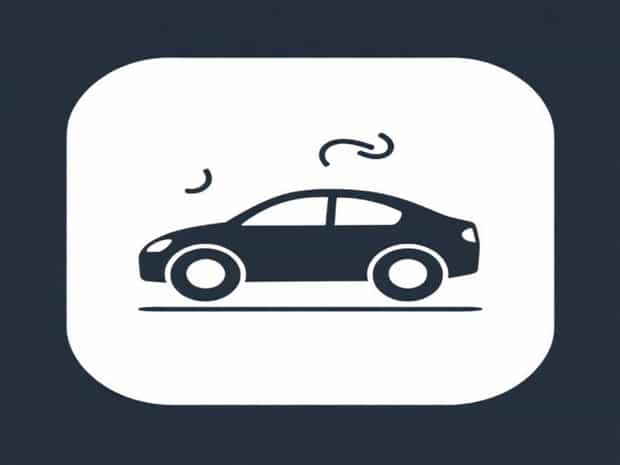
Button With Car And Squiggly Lines
Modern vehicles are equipped with a wide array of dashboard indicators, each designed to convey specific information about the car’s status and safety. One symbol that often confuses drivers is the button with a car icon accompanied by squiggly lines underneath it. Understanding this button is crucial because it relates to vehicle stability and traction, key elements in maintaining control while driving. Recognizing the meaning of this symbol, when to activate or deactivate it, and the technology behind it can enhance safety and prevent accidents, particularly in challenging driving conditions.
Understanding the Symbol
The button displaying a car with squiggly lines generally represents the vehicle’s traction control system (TCS) or electronic stability control (ESC). The squiggly lines symbolize the tires potentially slipping or skidding, which the system monitors to maintain stability. When this button lights up on the dashboard, it indicates that the traction control system is actively engaged or that there may be an issue requiring attention.
Purpose of Traction Control
Traction control is designed to prevent wheel spin during acceleration, particularly on slippery or uneven surfaces such as wet roads, snow, or gravel. By automatically reducing engine power or applying brakes to specific wheels, the system helps maintain grip and ensures that the vehicle remains controllable. This function is especially important for drivers navigating curves, hills, or icy roads, where loss of traction can lead to skidding or accidents.
Electronic Stability Control
Electronic stability control goes a step further by monitoring the overall movement of the car. ESC uses sensors to detect deviations between the intended path of the vehicle and its actual movement. If the system detects that the car is losing stability, it can intervene by selectively braking individual wheels and adjusting engine output to correct the trajectory. This reduces the risk of spinouts, rollovers, or collisions, making ESC a critical safety feature in modern vehicles.
How the Button Works
The button with the car and squiggly lines typically allows drivers to manually disable or enable the traction control system. In most vehicles, TCS is enabled by default each time the car starts. Pressing the button temporarily deactivates the system, which can be useful in specific situations where wheel spin is necessary, such as trying to free a vehicle stuck in mud or snow. Deactivation should be done cautiously, as it removes some of the automated safeguards designed to maintain vehicle stability.
Activation and Deactivation
- ActivationIn most cars, traction control is automatically activated at startup, and the dashboard may briefly display the icon as a system check.
- DeactivationPressing the button usually turns the system off, and a corresponding warning light remains illuminated to remind the driver that traction control is disabled.
- Temporary OverrideSome vehicles allow the system to reactivate automatically after a certain speed or when the car is restarted.
When to Use It
While traction control is essential for safe driving under normal conditions, there are scenarios where temporarily disabling it may be advantageous
- Stuck in Snow or MudAllowing some wheel spin can help the vehicle gain momentum to escape slippery conditions.
- Off-Road DrivingCertain off-road situations may require controlled wheel spin for better maneuverability.
- Performance DrivingOn a closed course or track, skilled drivers may disable traction control to achieve specific handling characteristics.
Safety Considerations
Traction control and electronic stability systems are designed to enhance safety, and understanding their operation is crucial. Drivers should generally keep these systems enabled while driving on public roads. Turning them off increases the risk of losing control, especially in adverse weather conditions or on slippery surfaces. Always consult the vehicle’s owner manual for guidance on the appropriate use of the TCS button, as different manufacturers may implement these systems differently.
Common Misconceptions
Many drivers mistakenly believe that the button indicates a malfunction when it lights up, but often it is simply a system status indicator. If the light remains on continuously or flashes abnormally, it may suggest a fault that requires professional inspection. Regular maintenance, including tire checks and brake system inspections, ensures that traction control and stability systems function optimally.
Technological Background
The traction control system relies on a network of sensors, including wheel speed sensors, steering angle sensors, and gyroscopes. These sensors feed real-time data to the vehicle’s computer, which calculates the appropriate response to maintain traction and stability. Modern systems are highly sophisticated and can intervene more quickly and precisely than a human driver, making them an invaluable component of automotive safety technology.
Integration with Other Systems
Traction control and ESC are often integrated with other vehicle safety features such as anti-lock braking systems (ABS), adaptive cruise control, and lane-keeping assistance. This integration allows a coordinated response to complex driving scenarios, enhancing overall vehicle safety and passenger protection. The car and squiggly lines icon serves as a user-friendly representation of this technology, alerting drivers to the system’s operation or status.
The button with a car and squiggly lines is a key indicator of the vehicle’s traction control and stability systems, essential for safe driving. By preventing wheel spin and maintaining directional control, these systems protect drivers in a wide range of conditions, from wet and icy roads to tight curves. Understanding the symbol, how to use the button, and the technology behind it enhances driving safety and confidence. While temporary deactivation may be necessary in certain scenarios, keeping traction control enabled is generally the best practice for everyday driving. Familiarity with this feature allows drivers to respond appropriately and maintain optimal control, contributing to safer roads for everyone.