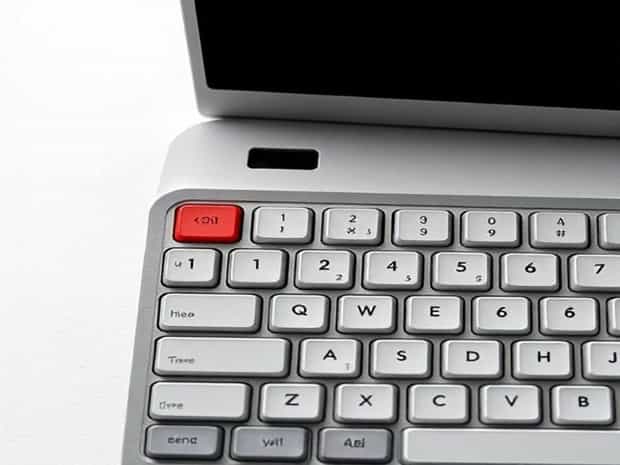
How Many Keys In Qwerty Keyboard
When people first learn how to type or explore the world of computers, one of the most common questions that arises is how many keys are there in a QWERTY keyboard? The QWERTY keyboard is the most widely used typing layout in the world, found on laptops, desktops, and even mobile devices in digital form. While it may seem like a straightforward answer, the number of keys can vary depending on the type of keyboard, its size, and its intended use. Understanding the details behind the QWERTY keyboard layout gives us insight into its history, design, and functionality that continues to shape how we communicate in the digital age.
The Origins of the QWERTY Layout
The QWERTY keyboard gets its name from the first six letters on the top left row of alphabetic keys Q, W, E, R, T, and Y. This layout was created in the 1870s by Christopher Latham Sholes, who designed it for typewriters. The arrangement was intended to prevent jamming by spacing out frequently used letters, making typing smoother. Over time, the QWERTY layout became the global standard, eventually carried over into computer keyboards and digital devices.
Standard Number of Keys on a QWERTY Keyboard
The most common full-size QWERTY keyboard used today typically has104 keysin the United States layout. This includes alphabetic characters, numbers, function keys, modifier keys, navigation keys, and control keys. However, not all keyboards are the same, and the number of keys can vary depending on the region and the purpose of the keyboard.
Breakdown of Keys in a Standard Keyboard
- Alphabet keys26 letters from A to Z.
- Number keys10 digits from 0 to 9, usually above the letters.
- Function keysF1 to F12, located at the top row.
- Modifier keysShift, Control (Ctrl), Alt, Windows/Command, and Function (Fn) keys.
- Navigation keysArrow keys, Home, End, Page Up, Page Down, Insert, Delete.
- Special keysEnter, Backspace, Tab, Caps Lock, Spacebar, and Escape (Esc).
Different Types of QWERTY Keyboards
Although the full-size version is the most common, QWERTY keyboards come in several variations depending on the device
- Full-size desktop keyboardUsually 104 keys in the U.S. standard or 105 keys in the European ISO layout.
- Laptop keyboardsOften more compact, ranging from 78 to 86 keys depending on the model.
- Compact or 60% keyboardsTypically around 61 keys, eliminating the number pad and function rows.
- Tenkeyless keyboards (TKL)Around 87 keys, designed without the number pad for portability.
- Gaming keyboardsMay include additional macro keys, media controls, and customizable buttons.
Regional Differences in Key Count
The number of keys on a QWERTY keyboard can also vary depending on the country. For example, the U.S. layout is slightly different from the U.K. layout, and European keyboards often include additional keys for accented characters or regional symbols. For instance
- U.S. layout104 keys, ANSI standard.
- U.K. layout105 keys, with an extra key near the Enter button.
- Japanese layoutAround 109 keys, including additional characters and input methods.
Why the Number of Keys Matters
Knowing how many keys are on a QWERTY keyboard is not just trivia; it also helps users choose the right keyboard for their needs. For example, gamers may prefer a compact keyboard with programmable keys, while office workers may benefit from a full-size keyboard with a number pad for data entry. Laptop users often adapt to smaller keyboards with fewer keys, while typists who prefer ergonomic designs might select split or curved keyboards.
Key Functions Beyond Typing
A modern QWERTY keyboard does more than just allow typing letters and numbers. Many of its keys serve specialized functions, such as
- Function keys (F1-F12)Provide shortcuts for tasks like adjusting brightness, refreshing a page, or opening help menus.
- Control keysUsed in combinations (e.g., Ctrl + C to copy, Ctrl + V to paste).
- Media keysFound on advanced keyboards, allowing volume adjustment, play, pause, and skipping tracks.
- Windows or Command keysOpen operating system menus and provide quick navigation options.
Modern Adaptations of QWERTY
While QWERTY remains the standard, new technologies continue to influence how keyboards are designed. Virtual keyboards on smartphones and tablets replicate the QWERTY arrangement but often exclude certain keys due to limited space. Mechanical keyboards allow customization, enabling users to remap keys or add functions. Even voice typing and touch input rely on QWERTY as a reference point, showing how deeply embedded this layout is in digital communication.
Comparison with Other Layouts
Although QWERTY dominates globally, it is not the only keyboard layout in existence. Alternatives like Dvorak and Colemak aim to improve typing efficiency by rearranging keys for comfort and speed. However, the sheer popularity and widespread adoption of QWERTY make it the most practical choice for most users, regardless of its total key count.
So, how many keys are in a QWERTY keyboard? The answer depends on the specific type and region. A standard U.S. full-size QWERTY keyboard has 104 keys, while variations exist across laptops, compact designs, and international layouts. Despite these differences, the QWERTY layout remains the most recognized and widely used system in the world. Understanding its structure, key count, and variations helps us appreciate not only its practicality but also its lasting influence on the way we type and interact with technology. Whether using a full-size desktop keyboard or a slim laptop version, the QWERTY design continues to define modern communication in the digital age.